Run guard operations from one mobile-first platform built for security companies that need live visibility, patrol proof, incident records, panic alerts, and client-ready reports.
Guard management software for real security operations
Security guard management breaks down when every workflow lives in a different place. Incident notes sit in chat groups. Patrol checks sit in logbooks. Guard movement gets reconstructed from phone calls. Client updates depend on whoever has time to write a summary.
That works until the first dispute.
MyProtektor gives security companies one mobile-first guard management platform for field teams, supervisors, and control rooms. You can track guards, verify patrols, manage incidents, route panic alerts, publish client-ready updates, and keep operational records without stitching five tools together after the shift.
What security guard management software should cover
A guard management system needs to help you run the shift while it is happening, then prove what happened afterwards. MyProtektor focuses on that operational loop.
Your guards use the mobile app in the field. Your admins and control room team use the web dashboard. Your clients only see updates your team chooses to publish. Internal work stays internal.
That separation matters. A client wants proof, not your whole back office.
Incident reporting
Guards report incidents from the mobile app with structured details, photos, timestamps, severity, type, and location context. MyProtektor supports 21 incident types, so guards can record the right category while details are still fresh.
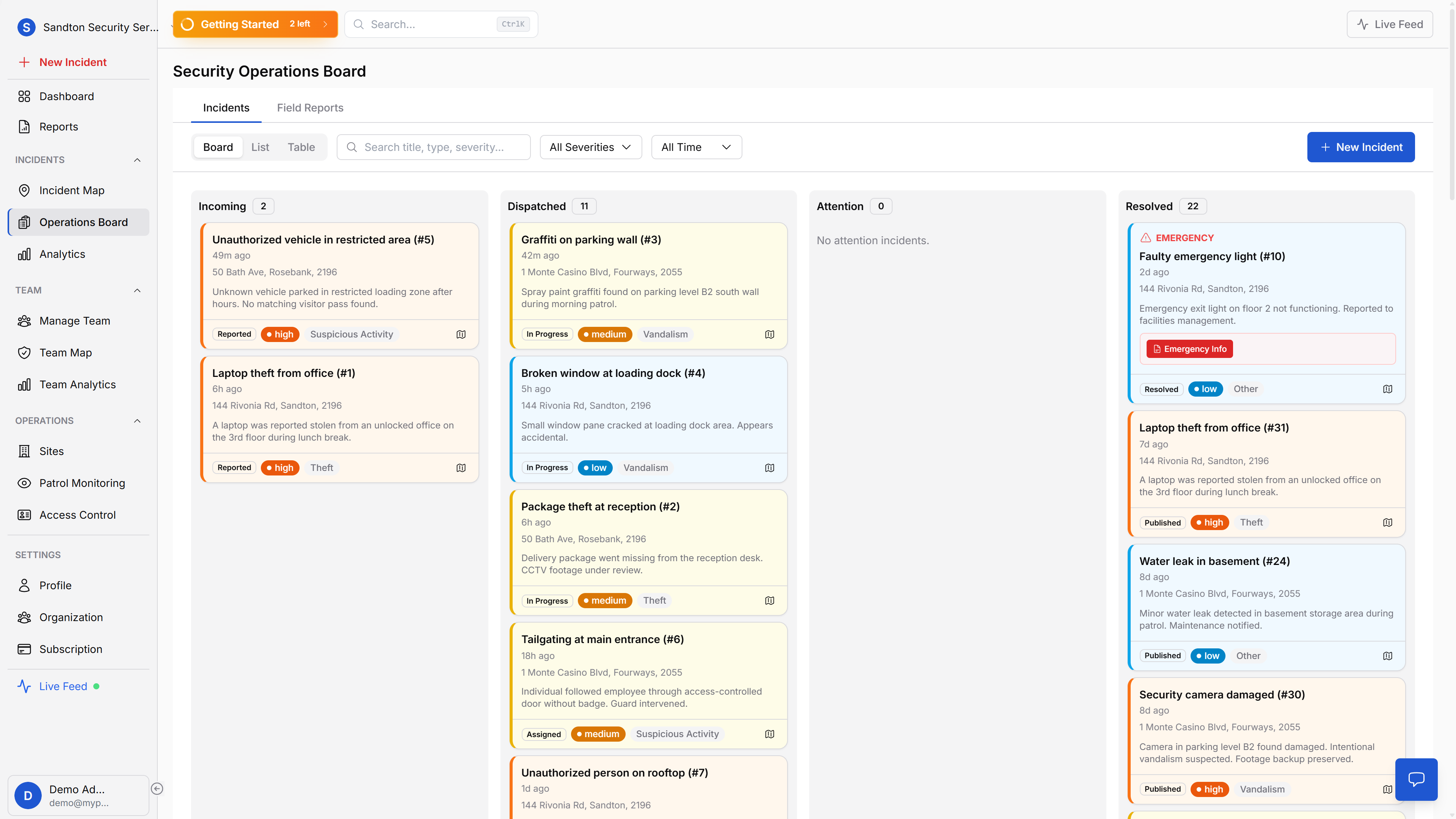
Admins review incidents in the dashboard, move them through the operational workflow, and publish client-visible updates when the record is ready. This keeps incident reporting clear, controlled, and useful after the shift ends.
GPS guard tracking
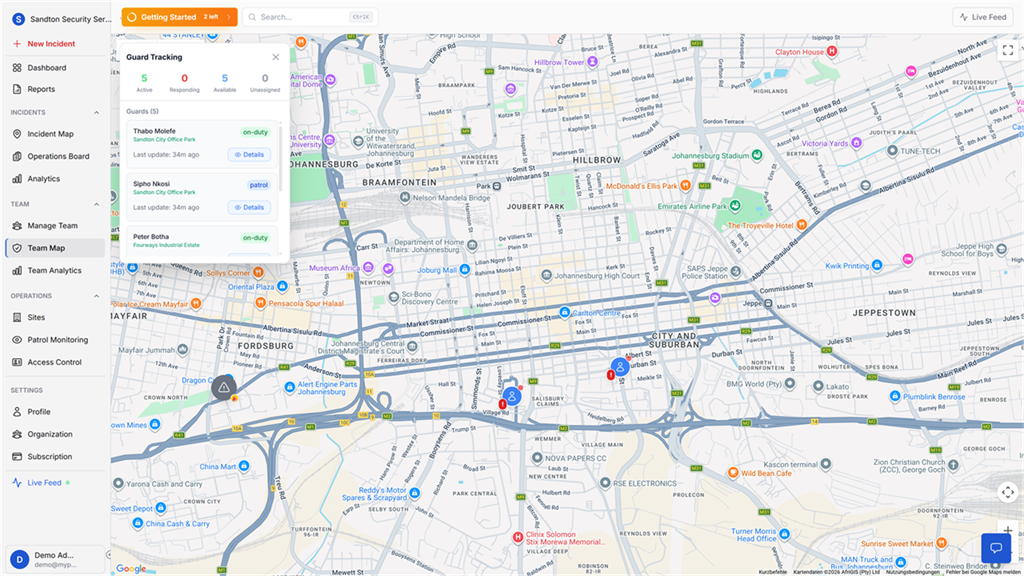
Guard tracking shows active guards on a live map and keeps movement history for shift review. Your team can see who is active, who is responding, who is available, and who has gone stale.
Movement history gives you GPS-backed proof for a specific guard and shift. When a client asks whether a guard covered the site, you can review the route, timestamps, distance, and recorded points instead of chasing a supervisor for a memory.
Learn more about guard tracking software.
QR patrol verification
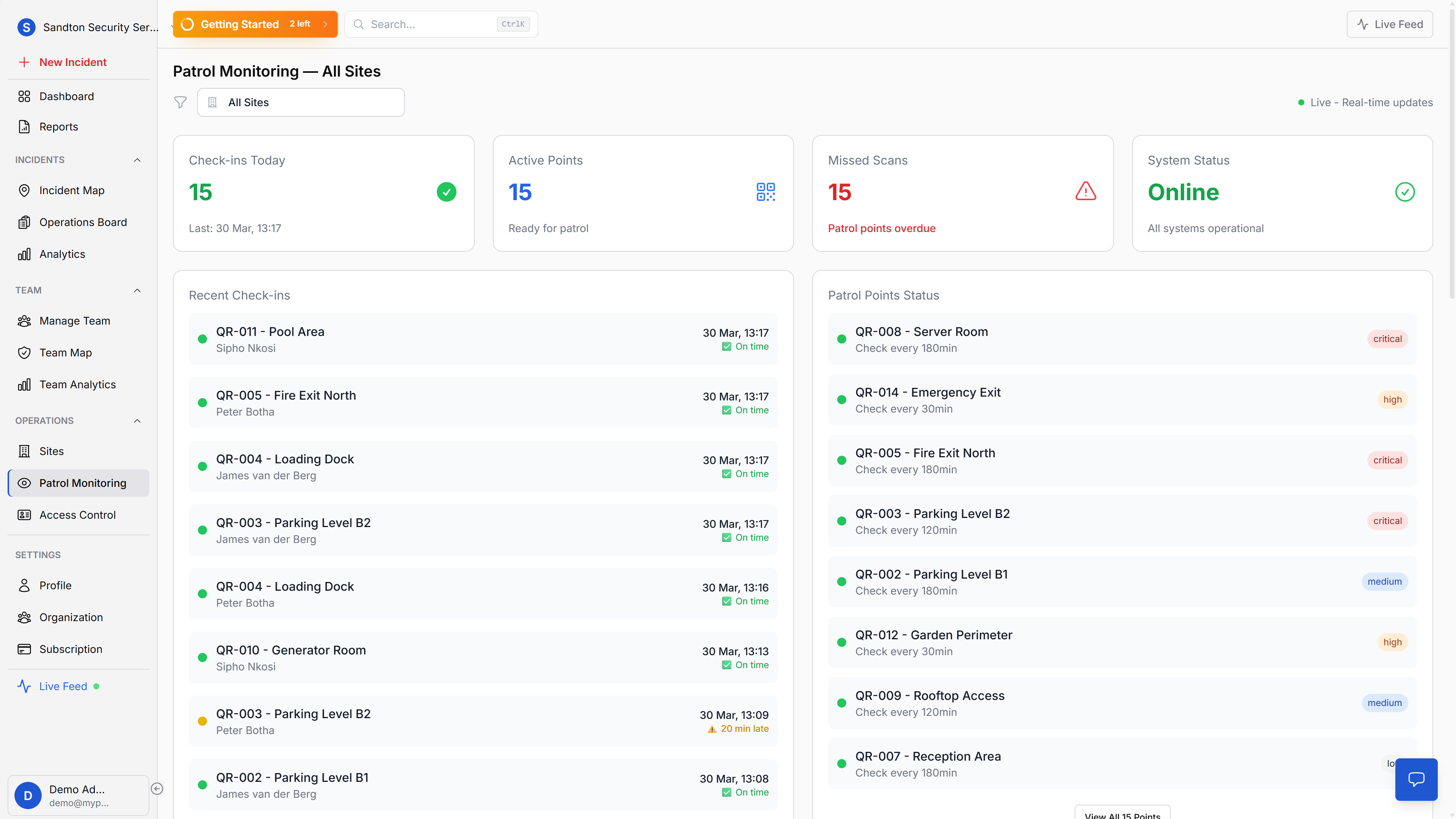
Patrol verification uses signed QR checkpoints. Guards scan checkpoints from the mobile app, and the dashboard shows patrol activity, overdue points, due-soon points, never-scanned points, and scan history.
Each scan captures the checkpoint identity, timestamp, guard, GPS coordinates, priority level, and optional photo. The system records GPS position, but it does not validate the position against the checkpoint location. The QR code mounted at the checkpoint is the proof of presence.
See how patrol verification software works.
Panic alerts and response coordination
The panic workflow captures location, identity, battery level, network type, emergency category, and device context. Your control room sees who raised the alert and where it came from, then assigns response work manually from the dashboard.
That manual step is deliberate. MyProtektor helps your operator see context fast. It does not pretend an algorithm understands every site, risk, and staffing decision.
Read more about panic alerts for guard teams.
Client-ready visibility
Clients only see what your team publishes. MyProtektor keeps internal operational work separate from client updates, so communication stays professional and controlled.
Published incidents, reports, and exports help you answer client questions with records, not explanations typed in a hurry.
How this helps the control room
A control room should not work from five open tabs and a phone log.
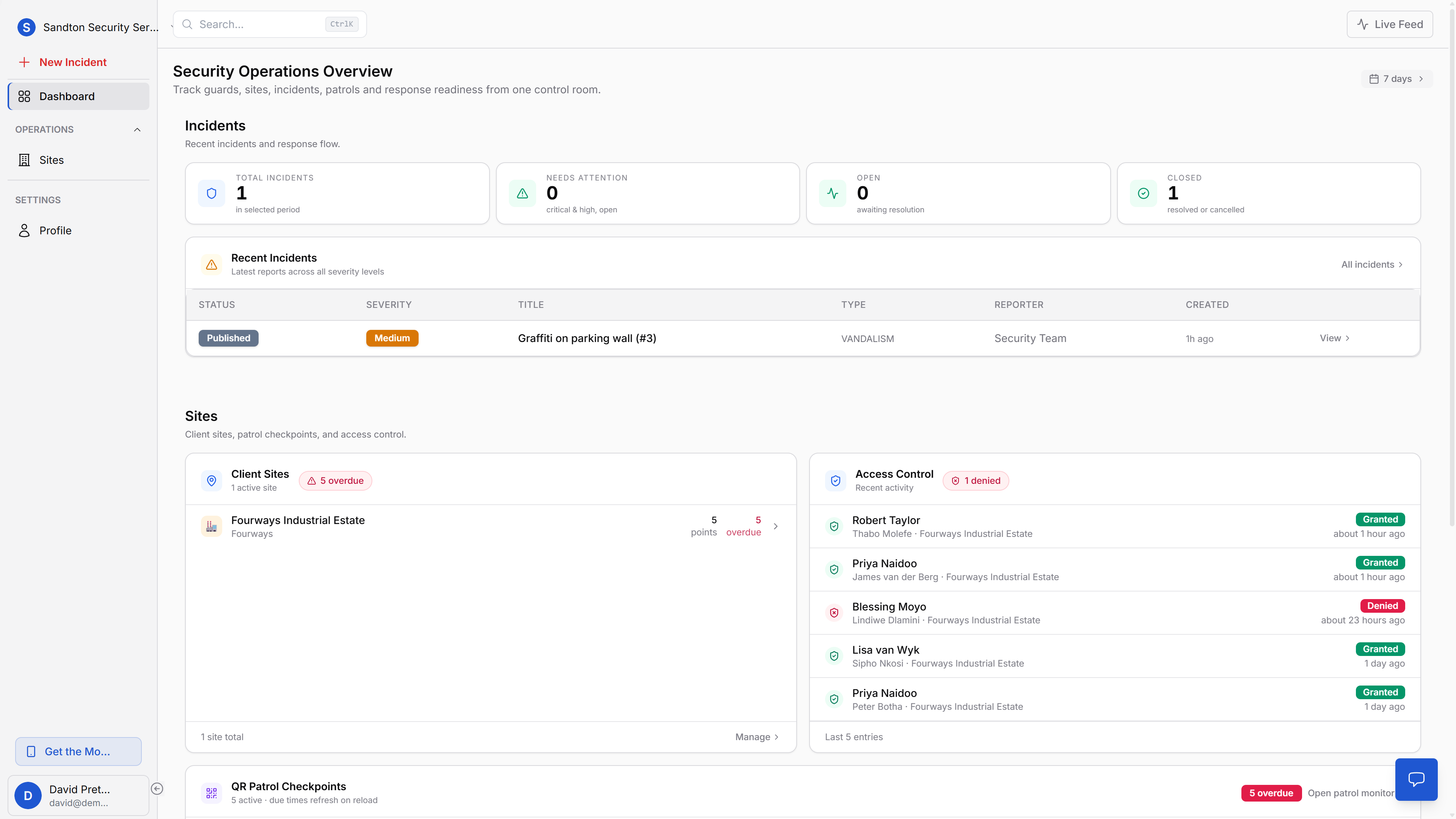
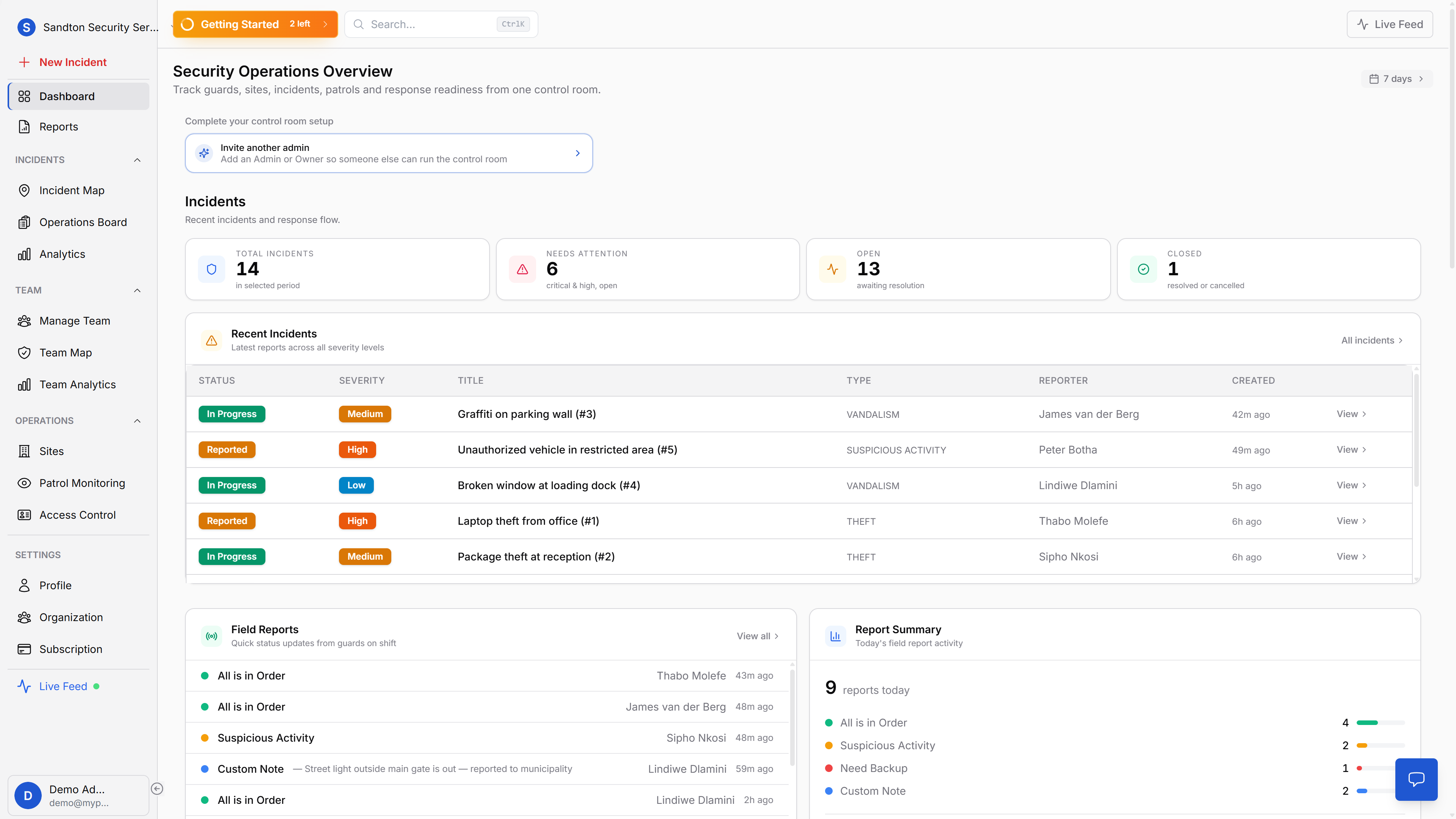
MyProtektor brings incidents, guard visibility, patrol status, access activity, reports, and panic alerts into one operational workspace. Operators can move from the dashboard to the incident map, operations board, guard tracking map, and reports without losing context.
This improves day-to-day coordination. It also improves handovers. The next operator sees what happened, who handled it, and what still needs attention.
The control room dashboard is built around that workflow.
Why it matters for security companies
Security companies lose time when operations depend on calls, chat groups, and paper records. They also lose trust when they cannot prove what happened.
MyProtektor gives your team clearer evidence:
- A guard's live status and last GPS update.
- A movement history record for each tracked shift.
- QR checkpoint scans with timestamps and guard identity.
- Structured incident records with photos and location context.
- Panic alerts with GPS and device context.
- PDF and CSV reports for internal review or client follow-up.
That proof helps when a client disputes patrol coverage, when a supervisor needs to check performance, or when your team needs to review an incident without guessing.
Built for practical rollout
MyProtektor runs on Android and iOS smartphones for guards and a web dashboard for admins. There is no proprietary patrol wand, no dedicated GPS tracker, and no separate control room installation.
The mobile app supports offline work for field activity and syncs when the device gets connectivity again. GPS movement history is retained for 30 days unless your team exports the records into reports for longer storage.
This is not about replacing your operators. It gives them better information, faster.
What this page does not claim
MyProtektor does not provide guards. It does not respond to emergencies on your behalf. It does not automatically choose the nearest guard and assign them without human review.
It is security guard management software. Your company stays in control of the operation.
Get started
If your team still runs guards, patrols, incidents, panic alerts, and client reports across separate tools, start with the platform overview and pricing.